I've read about the many things that are supposedly possible with an iPod, and if Linux can be installed on it, why not any other software?
**This probably voids your warranty, so do this at your own risk!
If the computer has iTunes, you will need to switch to disk mode:
Open iTunes
edit\prefrences click on iPod tab and select the Check the box for
disk use you will be warned about manual ejecting.. blah, blah.. click yes or OK, Under the same menu select the second raio button option
Automatically update selected playlists only , and do not select any lists.
If the computer does not have iTunes, then it will automatically be in disk mode.
First you need a cd ripper. There are many rippers, i suggest any that are free, small and can connect to the CDDB (Compact Disc Database) to save you time, in putting in the track names and numbers, etc.
The whole trick to this, is installing the ripping software. When it begins it will at some point ask you where to install... and we're not installing to that common
C:\ drive, how about your iPod?!
That's right install it to a folder on your iPod (either created by you, or the installation software)
Now you have ripping software to go!!
Now when you are ripping you can rip the songs straight to your iPod! I suggest you have another folder for saving the mp3s, as they can be deleted later.
If copying the mp3s was your only goal, you can stop here, but if you want to update your iPod to play the new mp3s, you will need a little piece of invaluable software in the iPod modding world called
vPod this comes with instructions, but basically it can update your iPod like iTunes without removing the files not located on the computer, but with files on your iPod!!
Thus all songs already installed are safe if you wish them to be, and all mp3s subsequently ripped can be added easily!!
Once they are added, the original copy of mp3s can be deleted.
There is not real limit on what you can install on your iPod, the software will simply ignore the folder it does not recognize, but when in disk mode, it can be run just like any application can be run from a flash/protable drive.
Questions/Comments:
[email protected]
-William.§




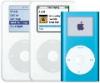
 Put new music on your iPod, from any computer with only a cd drive







